
Features
Every model type, running on your Mac.
One app instead of a chat app, an image tool, a video tool and a transcription app. They run at the same time through one local API, and we name the open engines underneath.
The Loom
One conversation, several models
The Loom is Bedrova's chat surface, and it is the part no other local app has. A single thread can span text, vision, voice and image models at the same time, each running in its own visible lane.
- Paste a screenshot, ask about it, hear the answer read back, generate an image from it, all in one thread
- Every model type gets its own lane, so you can see exactly what is running
- Lanes that can run together do; lanes that cannot say so
- Tool calling and guaranteed-shape JSON on any lane
Powered by mlx-lm / MLX-VLM / mlx-audio / mflux
Loom docs →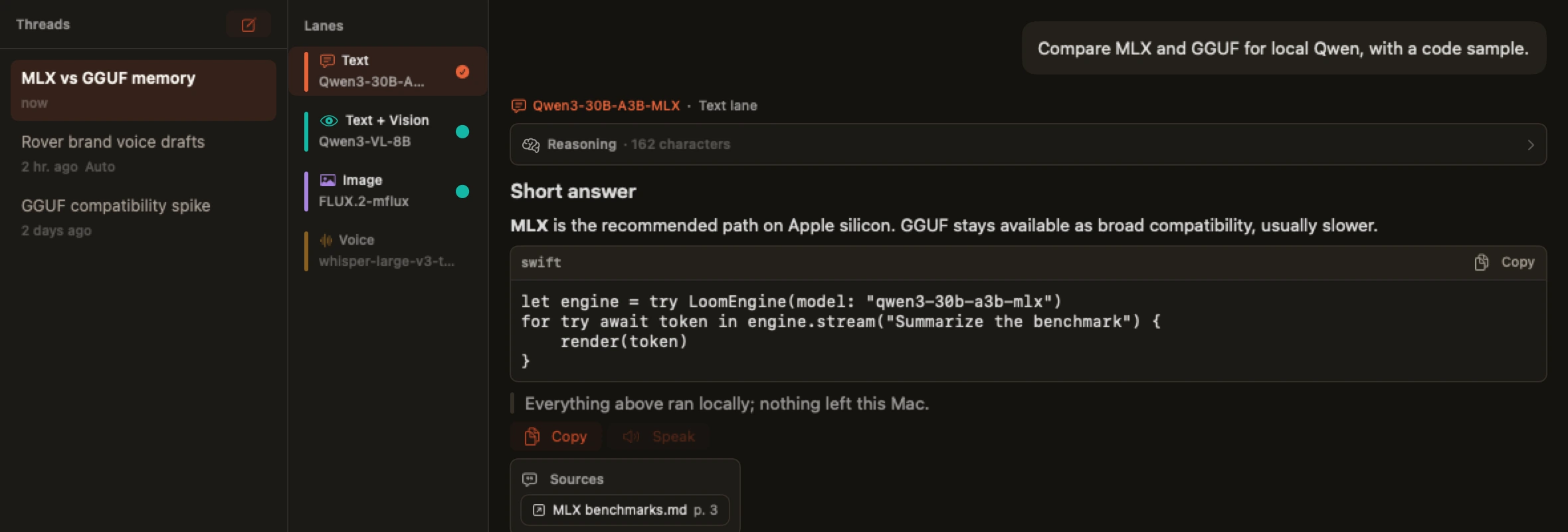
Chat
Chat and reasoning
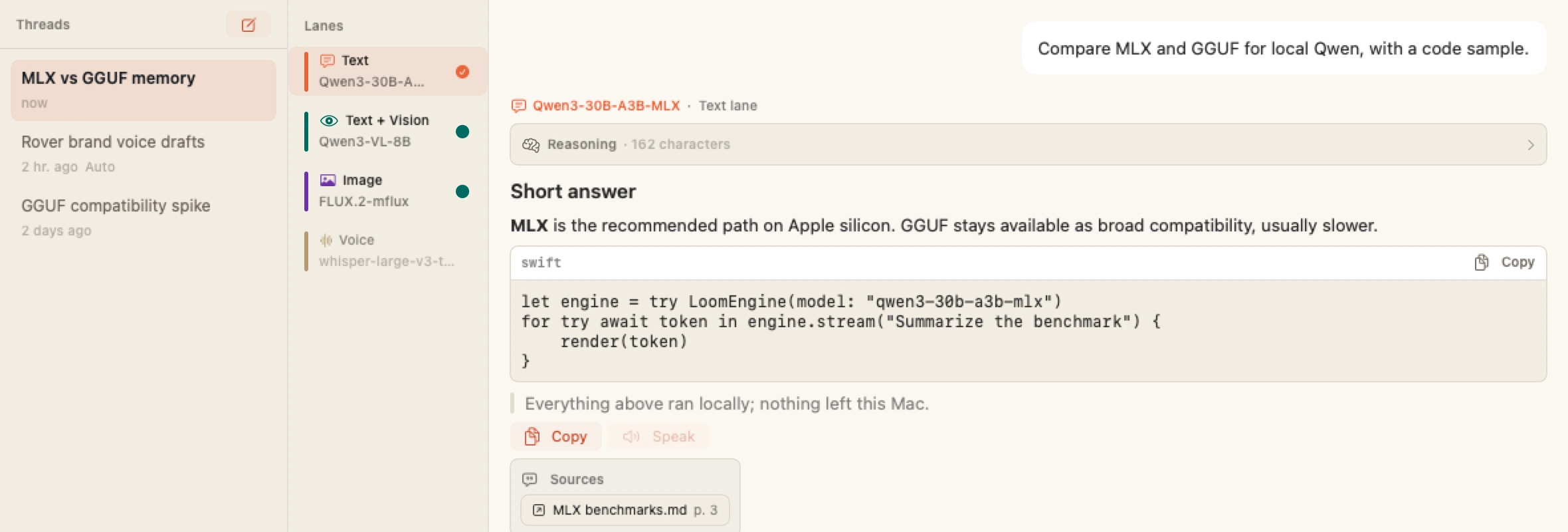
Talk to open models with real control: streamed markdown, visible reasoning, a token inspector and saved threads.
- Llama, Qwen, Gemma, MiniMax M2 and DeepSeek V4 Flash
- Temperature, top-p and top-k, penalties, context and output budget
- GGUF models work too, labelled broad compatibility, usually slower
- Threads are saved on your Mac and restored between launches
Powered by mlx-lm / mlx-swift / llama.cpp
Chat docs →Image
Make images
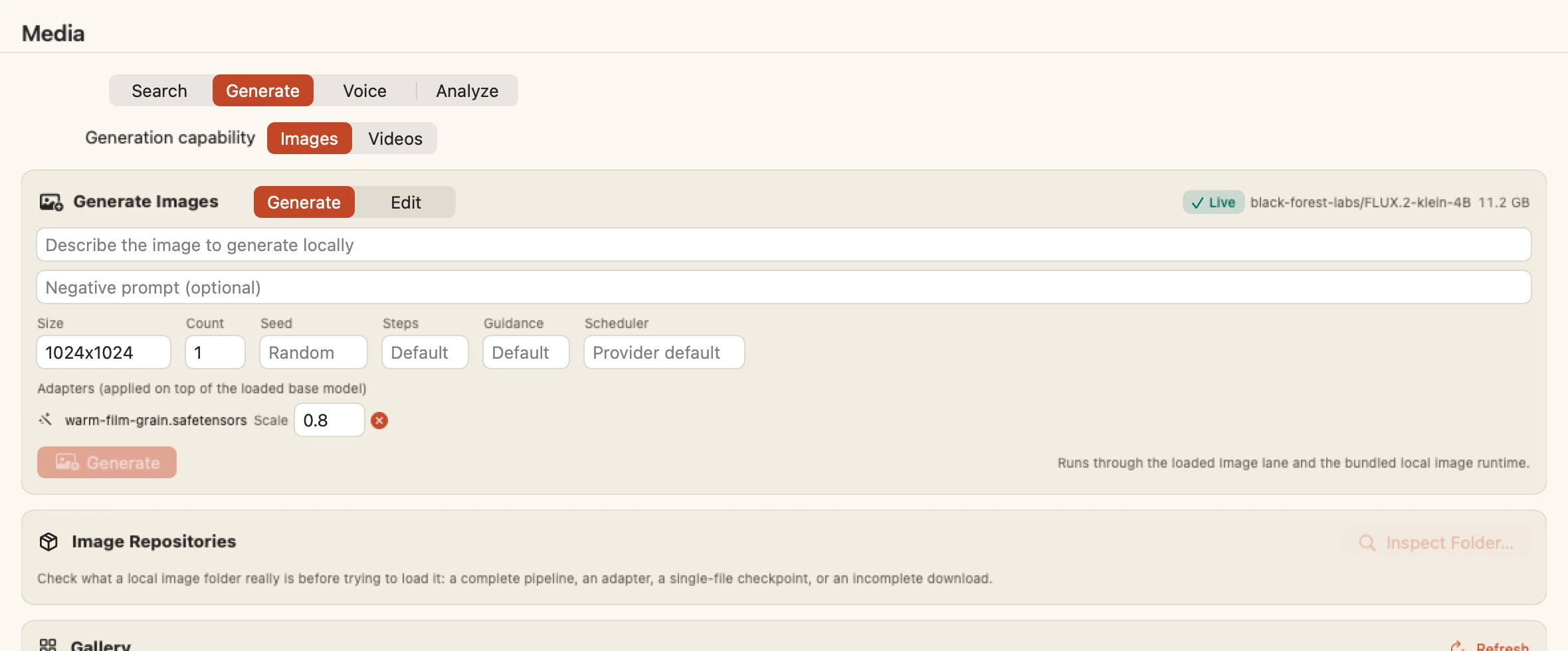
Generate images entirely on your Mac — text-to-image, image-to-image, edits, a gallery, full reproducibility.
- FLUX.1 and FLUX.2 Klein, Qwen Image, Krea 2, Ideogram 4 and more
- Stable Diffusion 1.5 and 2, SDXL, SD3.5 and Chroma through a second native engine
- LoRA adapters, SD1.5 ControlNet, seed, steps, guidance, batch
- Peak-memory aware, so a big run will not blow your budget
Powered by mflux + native diffusion engine
Image generation →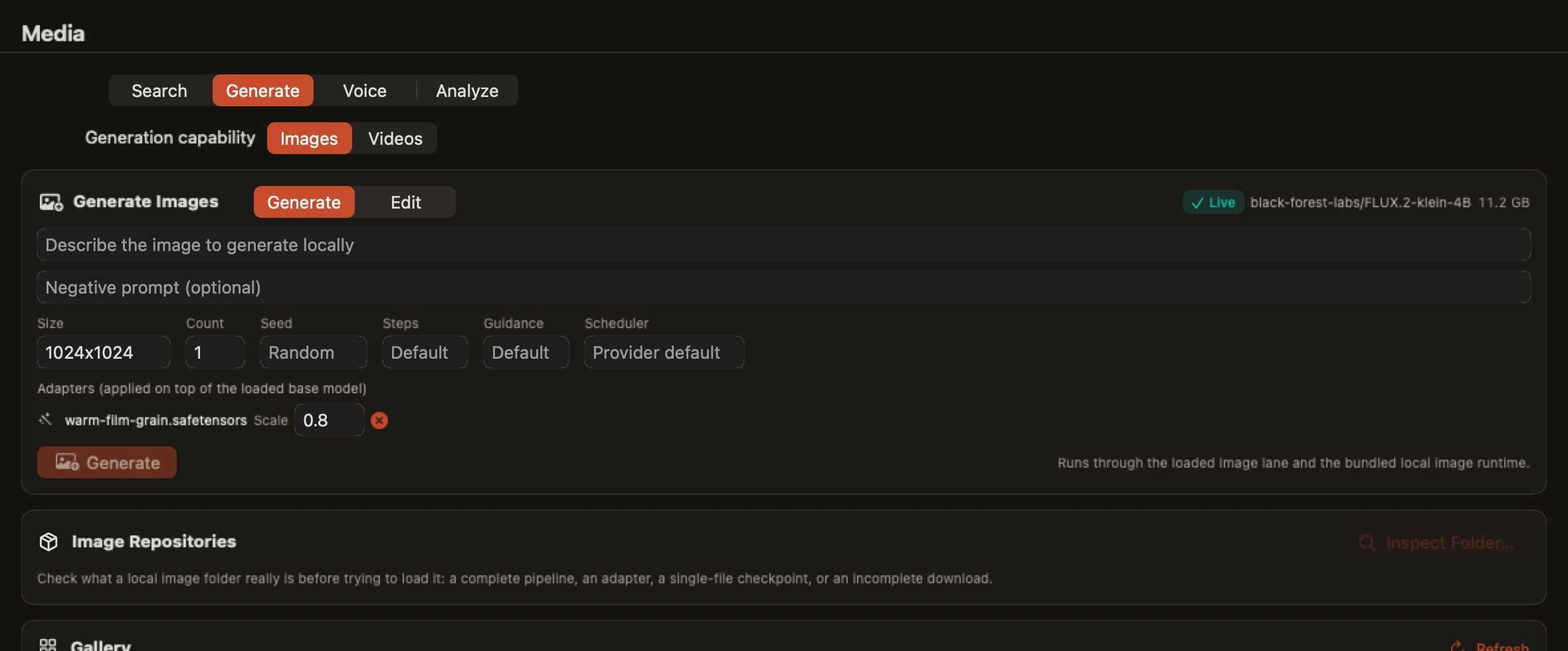
Video
Make video
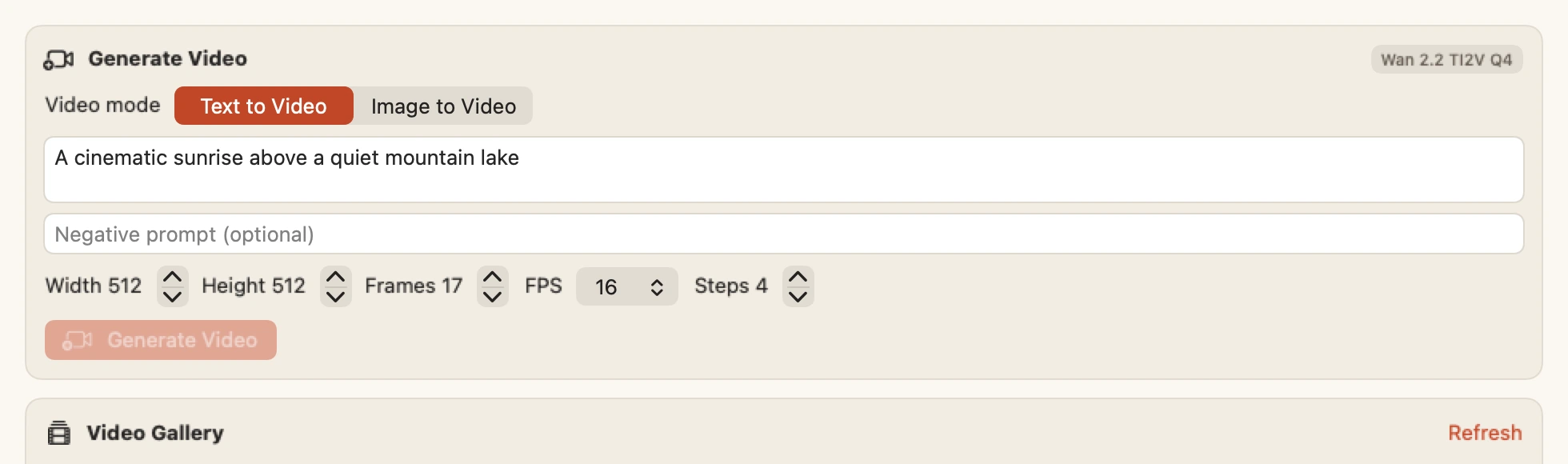
Text-to-video and image-to-video, rendered on your Mac. Every rival either does not do this or sends it to the cloud.
- Describe a shot, or bring a still image into motion
- Runs as a background job you can watch, cancel and return to
- Counted in the same cross-model memory budget as everything else
- Only licence-cleared pipelines ship, and Bedrova says which
Powered by MLX video pipeline
Video generation →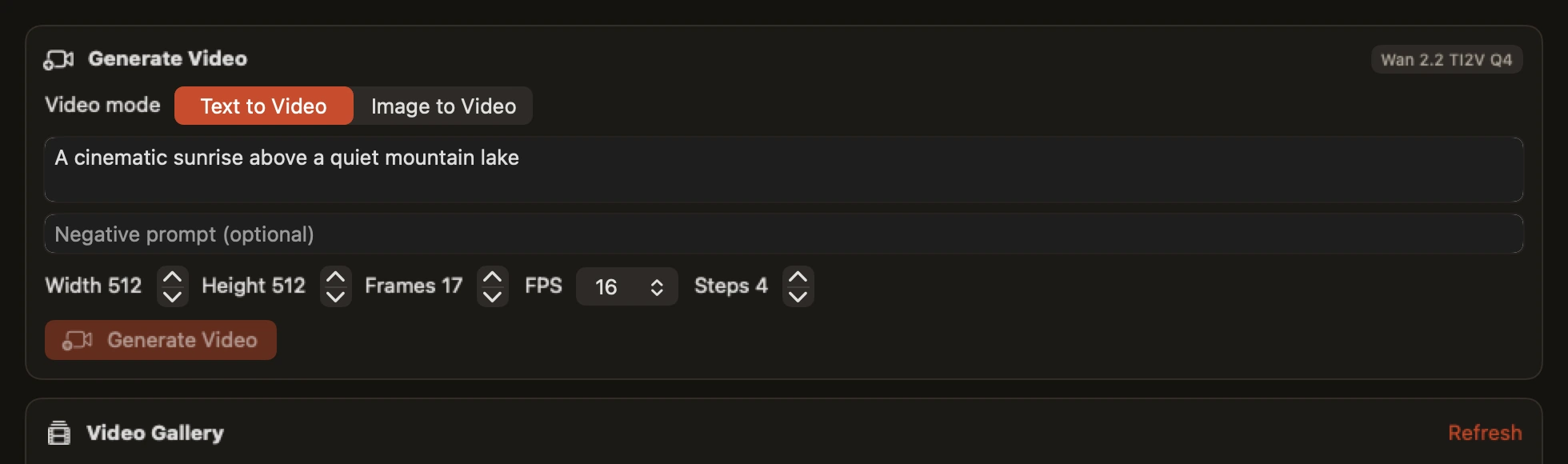
Voice
Speech ↔ text
Transcribe speech and read responses aloud, on-device. Your microphone never leaves the Mac.
- Whisper transcription with timestamps and segments
- Natural speech (Kokoro, Qwen3-TTS) with voice selection and custom voices
- Streaming synthesis, with playback built in
- Voice activity detection and diarization where the model supports them
Powered by mlx-audio
Voice docs →Vision
See images
Ask questions about screenshots and photos with local vision models.
- Qwen-VL and other MLX-VLM models
- Multi-image messages, EXIF-aware, pixel-budgeted
- Vision-feature caching for repeated chats
Powered by MLX-VLM
Vision docs →Perception
Read, detect and measure
Core ML perception models are small, fast and purpose-built. They answer questions a chat model should not be asked to answer.
- Text recognition, classification and object detection
- Segmentation, depth estimation and pose
- Runs through Apple's own Core ML on the Neural Engine
- Available on the local API as typed results, not prose
Powered by Core ML
Perception API →Documents · Embeddings
Chat with your documents
Drop in a file or folder; Bedrova parses, embeds, and retrieves locally — with citations you can click.
- PDF, DOCX, TXT, Markdown, HTML, CSV and JSON
- Local embeddings and vector store, hybrid search with reranking
- Watched folders that reindex as files change
- Personal document chat. Team and agentic knowledge bases are Packwolf's job
Powered by MarkItDown / FastEmbed / sqlite-vec
Documents docs →The runtime
One API. Every type. All at once.
Point any app or agent at localhost. Bedrova sends each request to the right model, runs what can run together, and budgets RAM across everything loaded.
Your apps & agents
RAM budgeted across loaded models — never OOMs your Mac
Why one local runtime
Versus stitching cloud APIs together, or juggling a separate local app per model type.
| Capability | Bedrova (local) | Cloud APIs | Separate local apps |
|---|---|---|---|
| Private, nothing leaves your Mac | Yes | No | Yes |
| Free & unlimited (no per-token bills) | Yes | No | Yes |
| Works offline | Yes | No | Yes |
| Every model type in one place | Yes | Varies | No |
| One API across all types | Yes | Per-vendor | No |
| RAM budgeted across models | Yes | N/A | No |
Control + safety
Run big models without nuking your Mac.
Bedrova tracks memory across every loaded model and checks a new one against what is left before loading it. Either it fits, or you get told why not, plus something that does.
FAQ
Does everything really run locally?
Yes. Chat, image and video generation, voice, vision, perception, embeddings and document chat all run on your Mac. The only network calls are model downloads, optional update checks, and analytics if you switch them on. There is also an Offline Mode that blocks outbound traffic entirely while local work carries on.
Can all these run at once?
That is the point, yes. Different model types run side by side through one local API, your favourites stay pinned and loaded, the rest load on demand, and RAM is budgeted across all of them. One honest caveat: the largest reasoning models take the whole GPU, so they run a turn at a time while other lanes carry on. Bedrova shows you that instead of pretending otherwise.
What models can I use?
Local Mac-runnable models through MLX, Core ML, GGUF or a documented provider pack. In practice: DeepSeek V4 Flash, Qwen, Gemma, Llama and MiniMax M2 for chat; FLUX, Stable Diffusion and Qwen Image for images; Whisper and Kokoro for voice; Qwen-VL for vision; BGE and Qwen3 Embedding for search. Not every model in existence, and Bedrova tells you when something will not load rather than guessing.